![[EN] Warp](/images/BlogPostHeaderWarpTerminal.png)
21st century warp terminal
Since I became a Linux user, I have been using the terminal or the command line, even though I don’t need it as much as a normal user these days. I can’t live without it anymore, whatever my biggest problem is, when I’m sitting at a Windows box, everything feels different and the CMD just doesn’t feel as powerful ;)
What is important to me personally about the terminal emulator is the so-called Quake style. Quake Style means that the terminal emulator shuts down from the top of the screen and you have your command line at your disposal.
Terminal emulator: A computer program that emulates the function of a computer terminal. It is mostly used to use text-based programs within a GUI.
So in the last few years (even decades) I’ve worked most of the time under KDE with Yakuake, among other interfaces with Guake and even under Windows I worked together with WSL and Windows Terminal had my Quake style. Then came the switch to macOS and the first thing a friend recommended to me was iTerm2, because you can also build your own Quake style here.
Warp in detail
But let’s get back to the topic at hand, Warp. Unfortunately, Warp is currently only available for macOS and that’s a shame so far. I would also like to test the thing out in a familiar environment. Warp is written in RUST and that makes it very fast. Then Warp can boast that the input “line” is simply a fully functional text editor, i.e. with native mouse support and everything you can imagine. Admittedly, I haven’t noticed any difference to my previous emulators so far, but that’s not all that Warp can do!
Everything is a block
Warp divides issued commands into so-called blocks, making it incredibly easy to reuse entire command sets. Or share them with your team members.
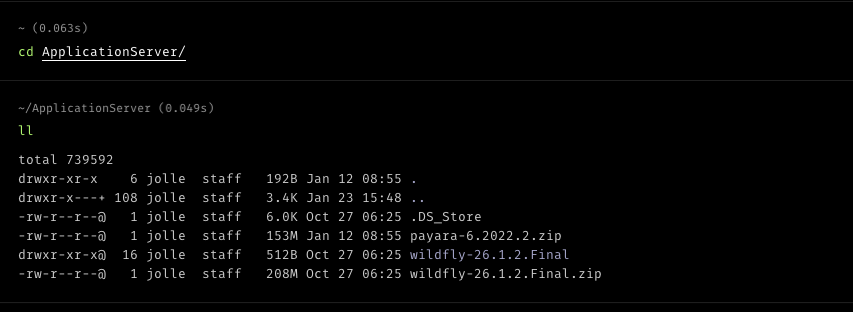
The entire content contained in the ApplicationServer folder is a block. You can then do different things with this block, as we see here in the block context menu:

You can create a permalink here and then share it with your friends/teammates and family, whatever you want to do with it. Here is the permalink to the screenshot shown.
Warp can do even more
Suggestions
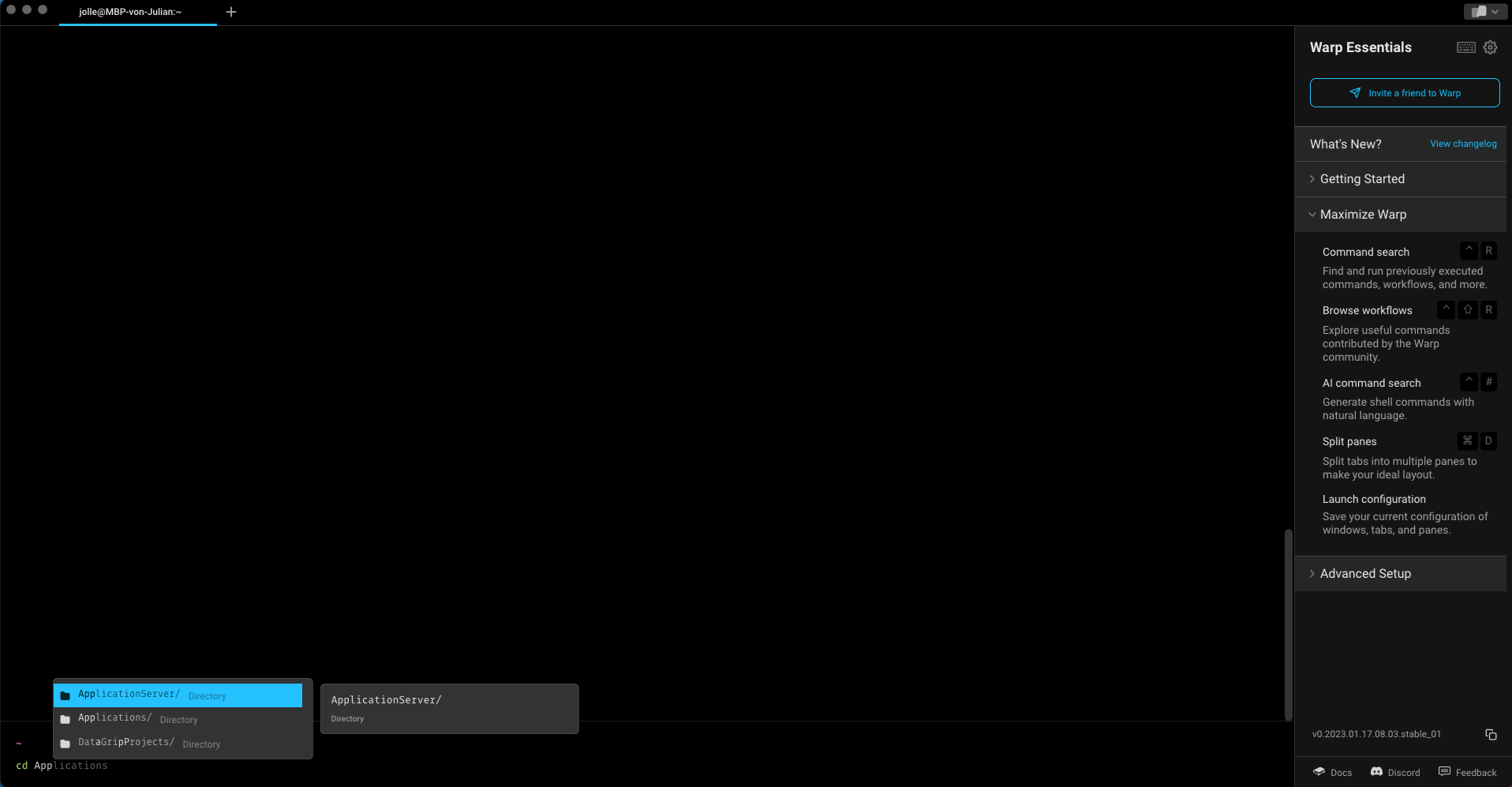
Anyone who spends a lot of time in the terminal has gotten into the habit of typing a fraction and then working directly with tab completion. This also looks very nice at Warp:
Workflows
In my opinion, a real highlight in Warp are the so-called workflows, you could also see it as a manual with a GUI. You can use a variety of ready-made workflows here, you can define your own workflows and of course you can find a lot in the community!
Workflows are defined in yaml and can be easily shared. You can find the repository for the workflows here. You can also search the workflows online at commands.dev.
A.I. Command Search
What would a 21st century program be without A.I. or A.I. in German. With the A.I. Command Search, you can have commands suggested to you using natural language. Currently only in English, of course, but it’s really awesome. If you know what you want to do but can’t think of the commands, you can simply ask your terminal.
That was just a short introduction to Warp, if you are now curious, Get Warp here.
This article contains affiliate/referral links.